Mackanized Engine Flasher - how to use it
Reads and programs Saab engine ECUs: Trionic 7, Trionic 8, Bosch ME9.6, ME(D)9.6.1, Delco E39, Bosch EDC16C39. The keys and checksums come from our server per job, so the program needs a licence and a connection while it works.
Version 1.4.19-beta Download EngineFlasher_v1.4.19-beta.exe
You need
- Your engineflasher.key next to EngineFlasher.exe. Trionic 7, Trionic 8 and ME9.6 are free: make your own key on the licence page.
- A J2534 adapter (Scanmatik SM2 recommended; MDI and OBDX work). A Tactrix OpenPort 2.0 needs no driver: ours is built in and appears as "OpenPort 2.0 (built-in driver)".
- A stable 12 V supply: a charger on the battery for every write, and never switch the ignition off while a write runs.
Step by step
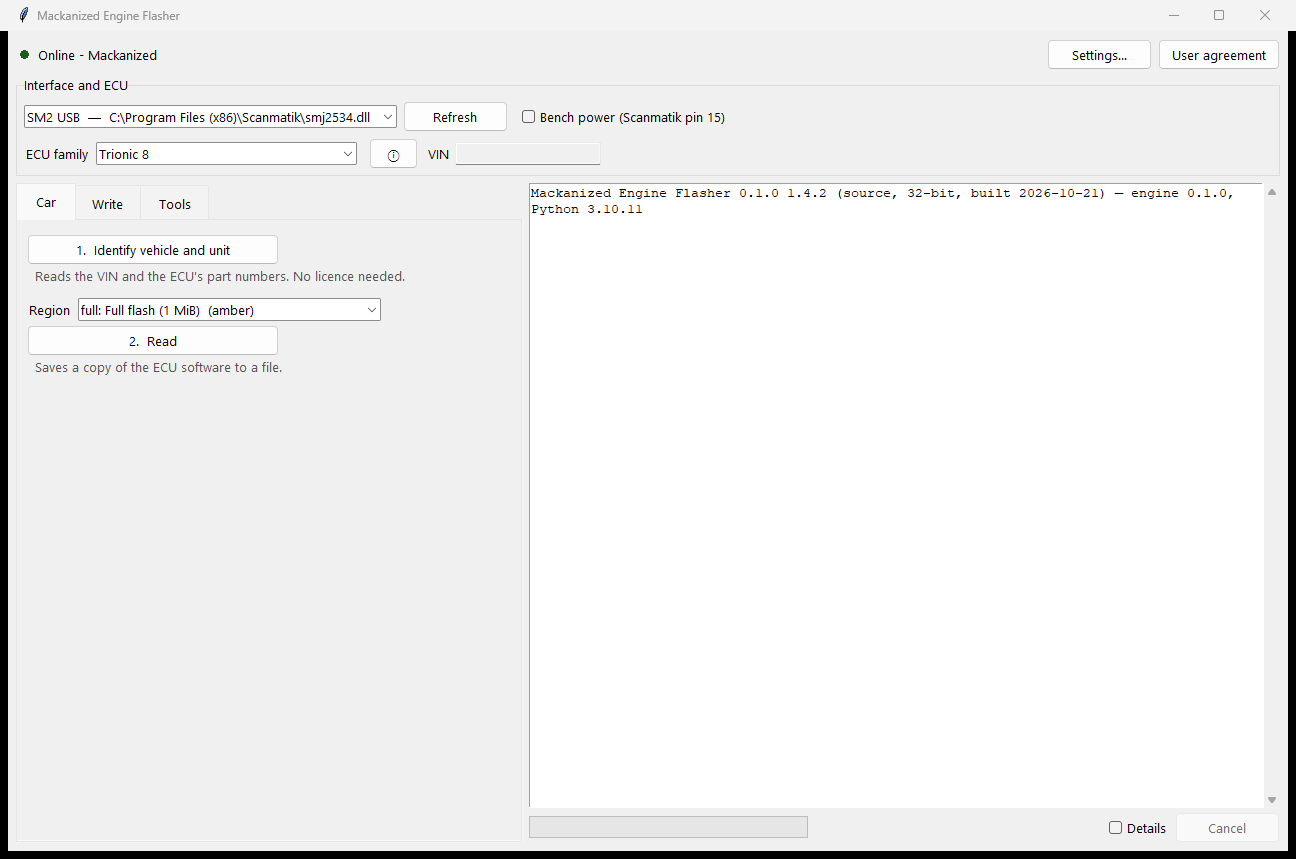
- Identify. Pick the interface and the ECU type, then press 1. Identify vehicle and unit. It reads the VIN and the part numbers - no licence needed - and tells you what is in the car.
- Read first. Choose the region (calibration, or the full image where the ECU allows it) and press 2. Read. Keep that file: it is your way back. The read is sealed to the car (.ecuz) unless your licence allows plain .bin files.
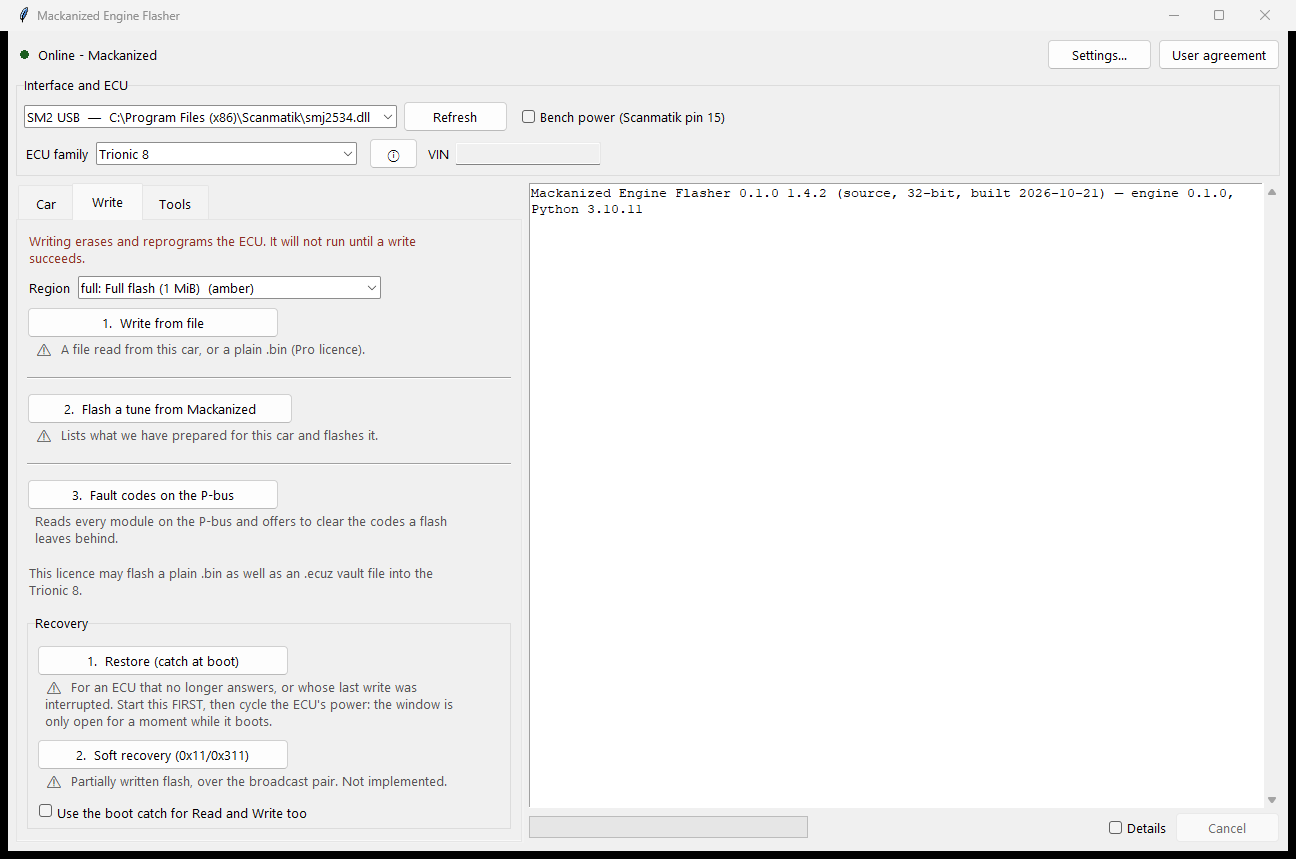
- Write. On the Write tab, choose the file (a Mackanized vault file or, with the right licence, a .bin), read the checklist and confirm. The program verifies the file's checksums before anything is erased and refuses a file that does not fit this ECU. Watch the battery line; the write cannot be cancelled once the erase has started - that is deliberate.
- Afterwards. Follow the words on screen: most ECUs want the ignition off for 10 s before the first start. ME(D)9.6.1: read and clear the P-bus faults after the key cycle (3. Fault codes on the Write tab, free).
- If a write fails. Do not switch off. Read the message: it says whether anything was erased and what to do (usually run the same write again). The log on the right and Details show everything; send us the debug log if asked.
Good to know
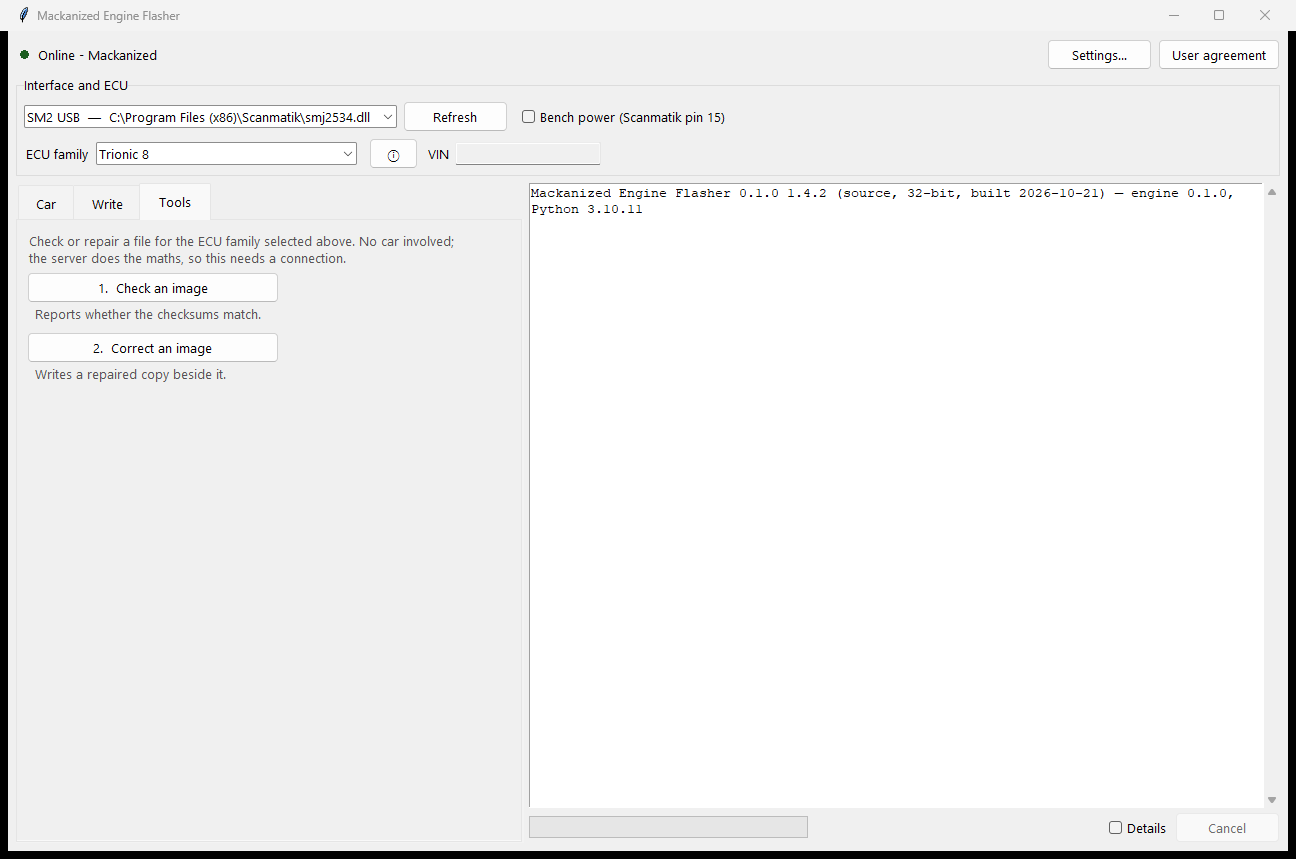
- Tools: checksum check and correction of a file, Fault codes on the P-bus.
- The program checks for a newer version at start and offers the download.
- Settings: language (English / Swedish), bench power on the Scanmatik pin 15.
Questions or a log that looks wrong: send it to us with the program's session or debug log and we look at it together.