Mackanized TCM Flasher - how to use it
Reads and programs the Aisin AF40-6 and AW55-50/51 transmission control modules in the Saab 9-3 and 9-5 (and Opel/Vauxhall, Alfa, Volvo relatives). Keys and checksums come from our server per job.
Version 1.6.7-beta Download TCMFlasher_v1.6.7-beta.exe
You need
- Your tcmflasher.key next to TCMFlasher.exe (issued by us).
- A J2534 adapter (Scanmatik SM2 recommended; MDI and OBDX work). A Tactrix OpenPort 2.0 needs no driver: ours is built in and appears as "OpenPort 2.0 (built-in driver)".
- A charger on the battery for every write; ignition stays on until the program says it is done.
Step by step
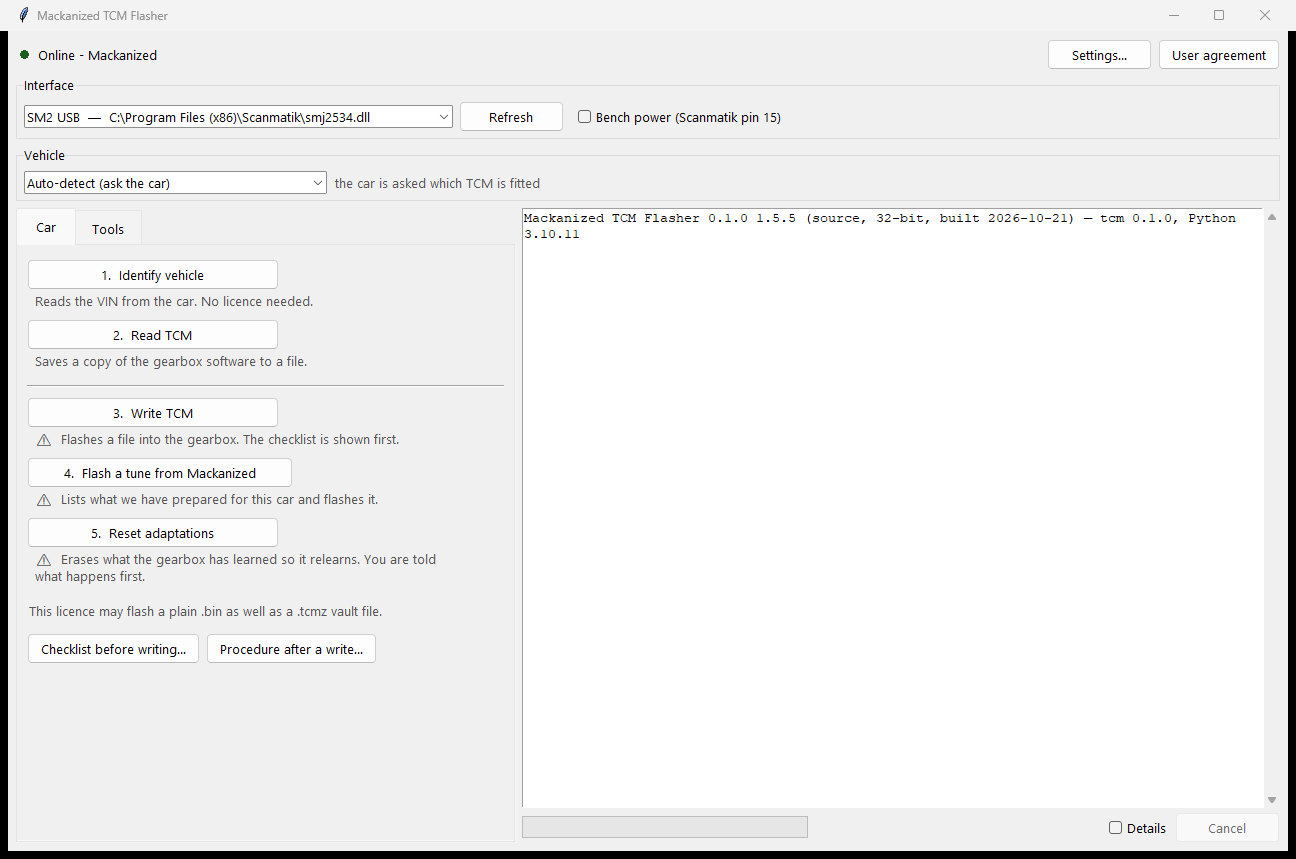
- Identify. Pick the interface, leave the vehicle on Automatic and press 1. Identify vehicle. The car is asked which TCM is fitted (Gen1 AF40/AW55 or Gen2 AF40). No licence needed.
- Read first. 2. Read TCM saves the gearbox software to a file - your way back. Sealed to the car (.tcmz) unless your licence allows plain .bin files.
- Write. 3. Write TCM programs a file; the pre-write checklist is shown first and the checksums are verified before anything is erased. 4. Program a tune from Mackanized shows what we prepared for this car and programs it.
- Afterwards. The gearbox has to relearn: 5. Reset adaptations (free), then the procedure shown after a write (N-position calibration on the NG 9-5, the relearn drive). Procedure after write... repeats it any time.
- If a write fails. Read the message. Before the first block went out nothing was changed and you simply run it again; after that the WIS interrupted-programming procedure is shown and the TCM stays in programming mode for the retry.
Good to know
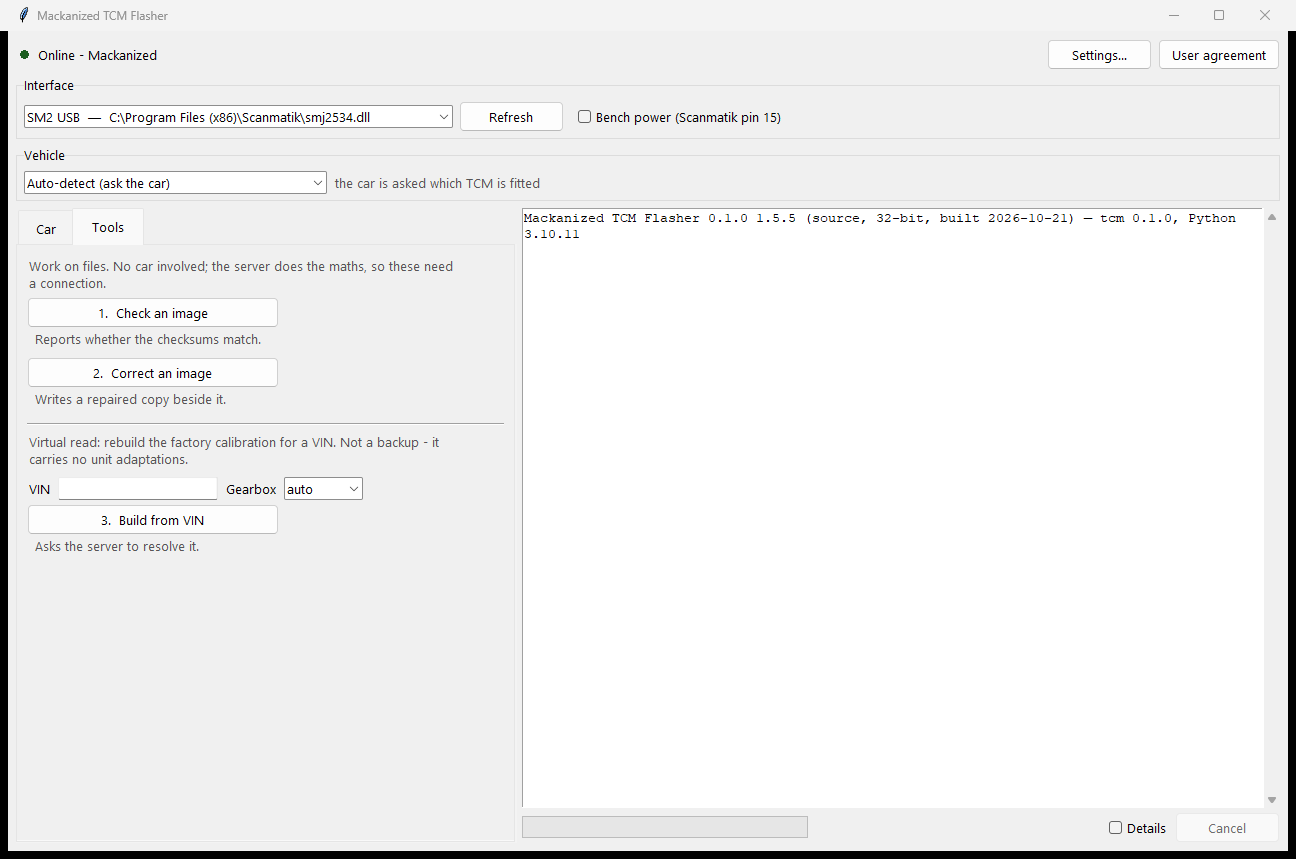
- Tools: checksum check / correction and Virtual read (the factory file for a VIN).
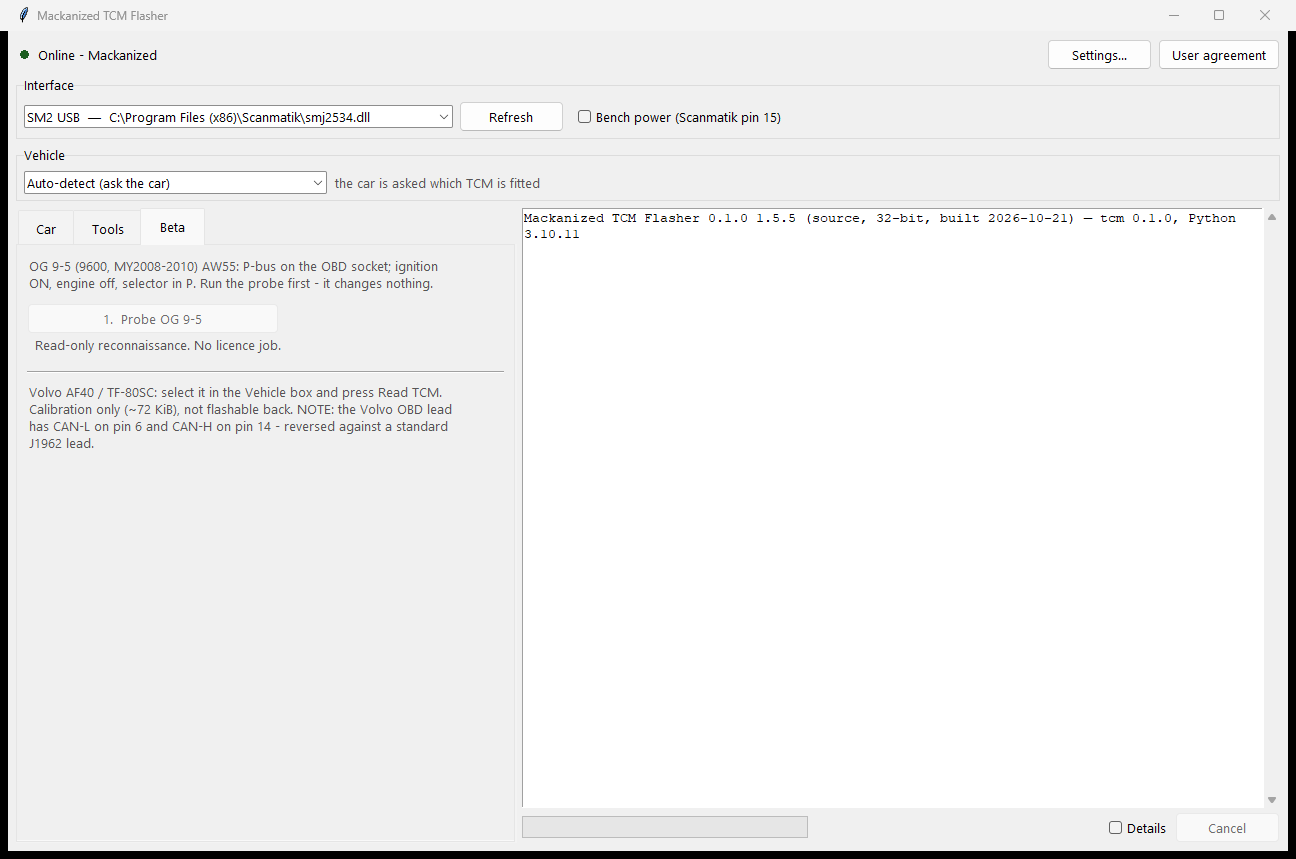
- Beta: OG 9-5 AW55 (read only) and Volvo AF40 calibration read, for licences that have them.
- The program checks for a newer version at start and offers the download.
Questions or a log that looks wrong: send it to us with the program's session or debug log and we look at it together.